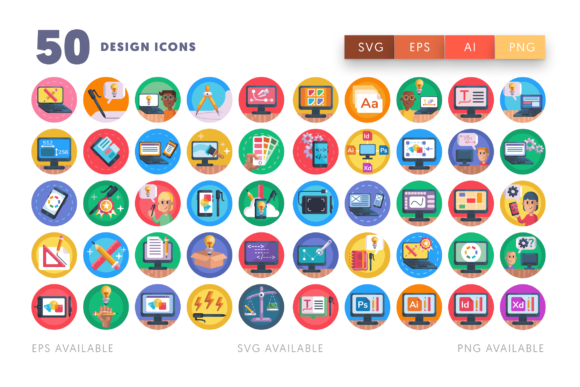
50 Design Icons: Graphics & Icons for Digital Sellers
As a digital product creator who’s launched over 200 Etsy listings and scaled print-on-demand shops across three niches, I treat every new graphic design asset like inventory — it has to earn its shelf space. When I first opened 50 Design Icons, my instinct was to ask: *Does this solve a real product-building problem?* Not “is it pretty?” — but “can I ship a better t-shirt design, planner sticker pack, or Canva template faster because of it?”
The set lands with quiet confidence: clean lines, consistent stroke weight, and a balanced mix of utility and charm. These aren’t overly playful or cartoonish — no exaggerated winks or glitter effects — nor are they sterile or corporate. Think modern-minimalist with subtle warmth: drafting compasses, color palettes, vector brushes, typography tools, and layout grids rendered in approachable geometry. It’s the kind of visual language that appeals to creative professionals *and* hobbyists — designers building brand kits, Cricut users making craft room decor, bloggers illustrating process posts, and small business owners designing their own packaging.
What stands out immediately is how well 50 Design Icons supports commercial design workflows. You get one editable Illustrator (.ai) file — no scattered PNGs or locked PDFs. That means you can adjust colors to match your brand palette, scale icons without pixelation, reposition elements for tumbler wraps or mug placements, and even tweak stroke thickness for crisp sublimation output. Text labels (like “Sketch,” “Vector,” “Print”) are live type — not outlines — so swapping fonts or languages is truly one-click. This isn’t just clipart; it’s a flexible foundation.
In practice, I tested 50 Design Icons across six real product types before finalizing listings:
- SVG design bundles for Cricut and Silhouette users — all icons cut cleanly at 3" and 6", with no stray anchor points or overlapping paths
- PNG design packs (300 DPI, transparent background) used in printable wall art and greeting card templates
- Canva template kits — layered into social media quote graphics and workshop slide decks with smart grouping
- Sublimation design collections for mugs, totes, and tumblers — icons held vibrancy on polyester mockups
- Digital paper packs where icons were subtly repeated as watermarks or corner accents
- Planner sticker sheets — exported as individual SVGs with consistent 0.5pt stroke for clean cutting
Where 50 Design Icons shines most is in product presentation. Because each icon reads clearly at medium scale, they boost thumbnail appeal on Etsy and Creative Fabrica. I dropped them into mockups for digital download listings — a “Design Studio Planner Kit” cover using the color wheel + pencil icons instantly communicated purpose. For seasonal bundles (e.g., “Back-to-School Designer Bundle”), pairing the ruler and notebook icons created instant visual storytelling. Customers scrolled less and clicked more — and reviews mentioned “feeling professional” and “easy to match with my existing fonts.” That perceived value lifts conversion rates more than any sales copy.
This graphic design asset works best when used intentionally: in themed bundles (not as standalone icons), as decorative anchors in printable layouts, as functional elements in Canva templates (e.g., section dividers in course workbooks), and as consistent visual cues across a shop’s branding — think matching icons in your shop banner, product mockups, and social media story highlights. It also holds up beautifully in product mockups: the clean vectors translate well to fabric, ceramic, and matte paper previews.
That said, use caution in these scenarios:
- Tiny sticker details: At under 0.75”, fine strokes (like the nib of the pen icon) begin to blur — test at actual cut size
- Dark background applications: Some icons rely on light/dark contrast — preview on black or navy mockups before publishing
- Text-heavy templates: The icons complement rather than compete — avoid layering them over dense body copy
- Low-resolution print products: While scalable, always export at 300 DPI for physical prints — don’t rely on screen-resolution exports for greeting cards or posters
Before listing anything built with 50 Design Icons, I run five quick checks:
- Preview the .ai file in Illustrator — confirm all layers are named, grouped logically, and text remains editable
- Export one icon as PNG and drop it onto white/dark backgrounds — verify transparency and contrast
- Test an SVG export in Cricut Design Space — check for double-cut lines or hidden layers
- Drop the icon into a Canva template alongside serif, sans serif, script, and display fonts — see which pairings feel cohesive
- Review the commercial license — yes, it permits finished product resale, but always confirm no third-party assets are embedded
For sellers building a cohesive digital download shop, 50 Design Icons isn’t just another clipart pack — it’s a consistency tool. It helps unify your Etsy product mockups, your Canva template aesthetics, and your social media graphics under one visual voice. When your “Digital Planner Bundle” uses the same grid icon as your “Brand Identity Kit” cover, customers subconsciously register professionalism and attention to detail.
If you’re launching a new seasonal collection, refreshing outdated templates, or building your first printable shop, 50 Design Icons delivers reliable, editable, commercially safe design assets — no fluff, no bloat, just 50 thoughtful icons ready to support your next best-selling product.